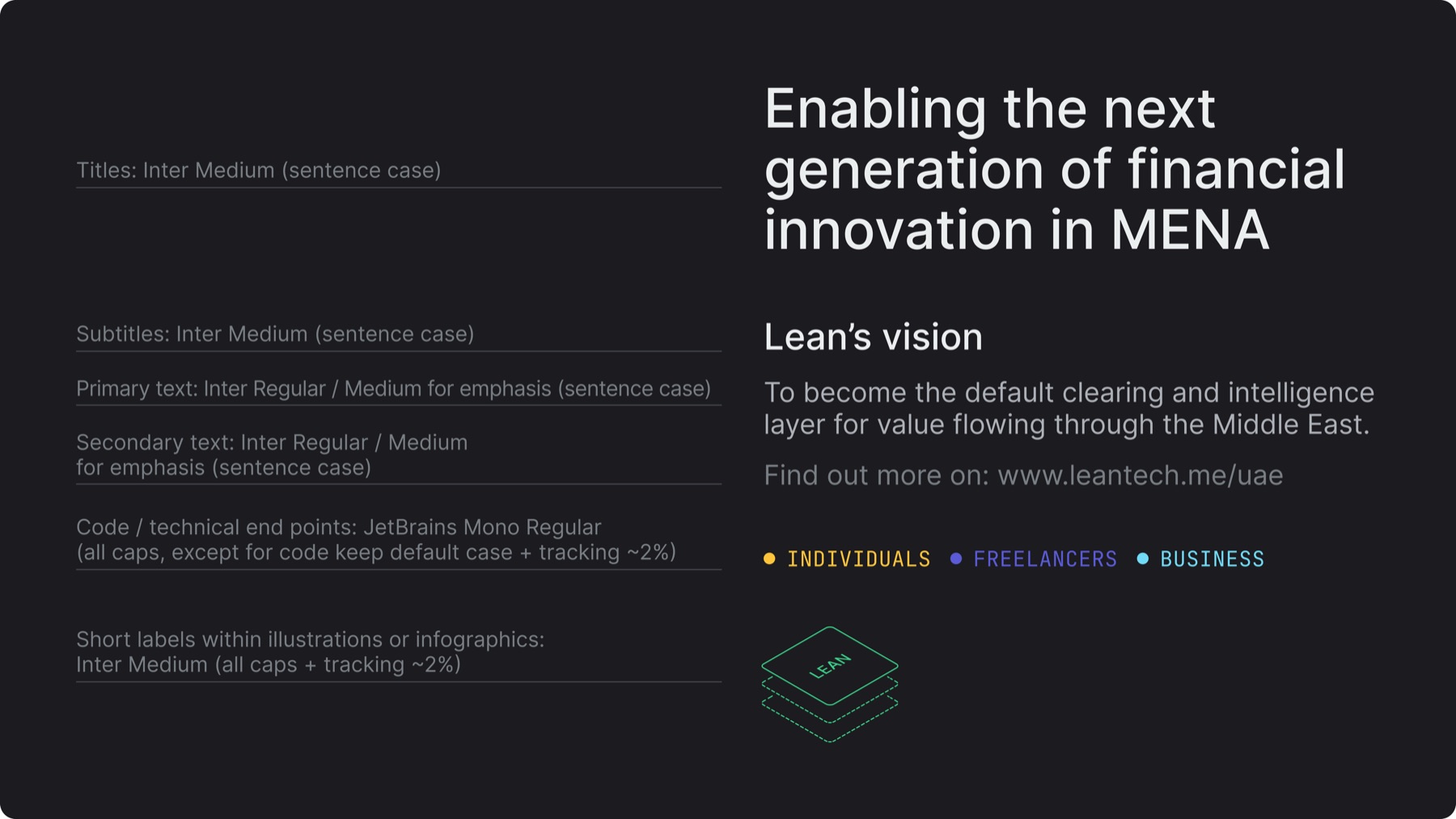
Inter is the default typeface, JetBrains Mono is only for code or technical endpoints
Follow the defined typographic palette above to preserve hierarchy
Note that hierarchy is also established through size, color, and placement
Adjust leading visually, not too tight nor too wide, to ensure readability
Inter Medium (all caps) is a controlled exception for short labels or legends within illustrations or infographics, never for sentences, long text, or explanatory content
3.B. Arabic palette & hierarchy
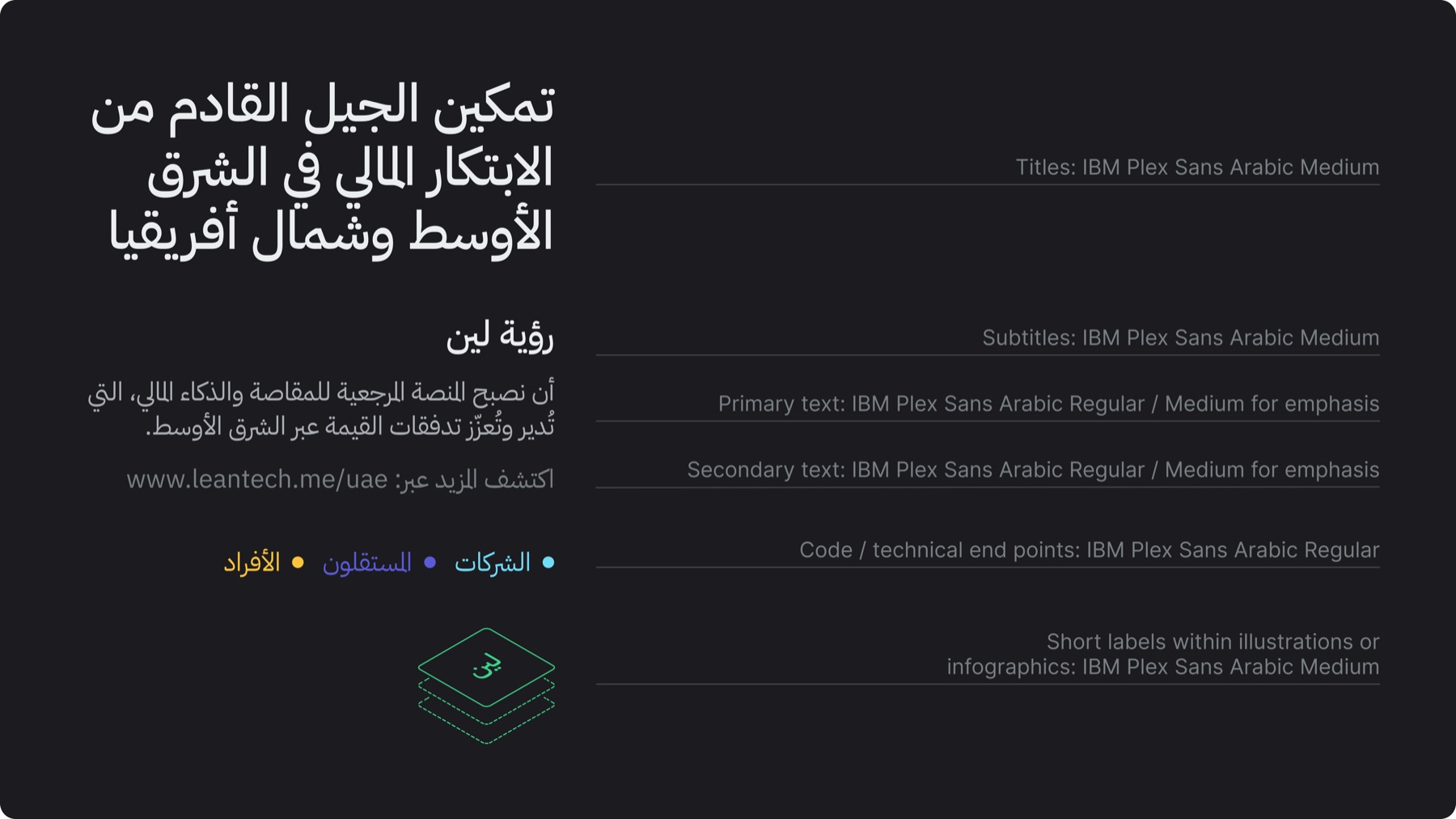
Arabic is Lean’s secondary language and appears primarily in formal and legal materials
IBM Plex Sans Arabic is the font exclusively used for Arabic content
Follow the defined typographic palette above to preserve hierarchy
3.C. Bilingual pairing
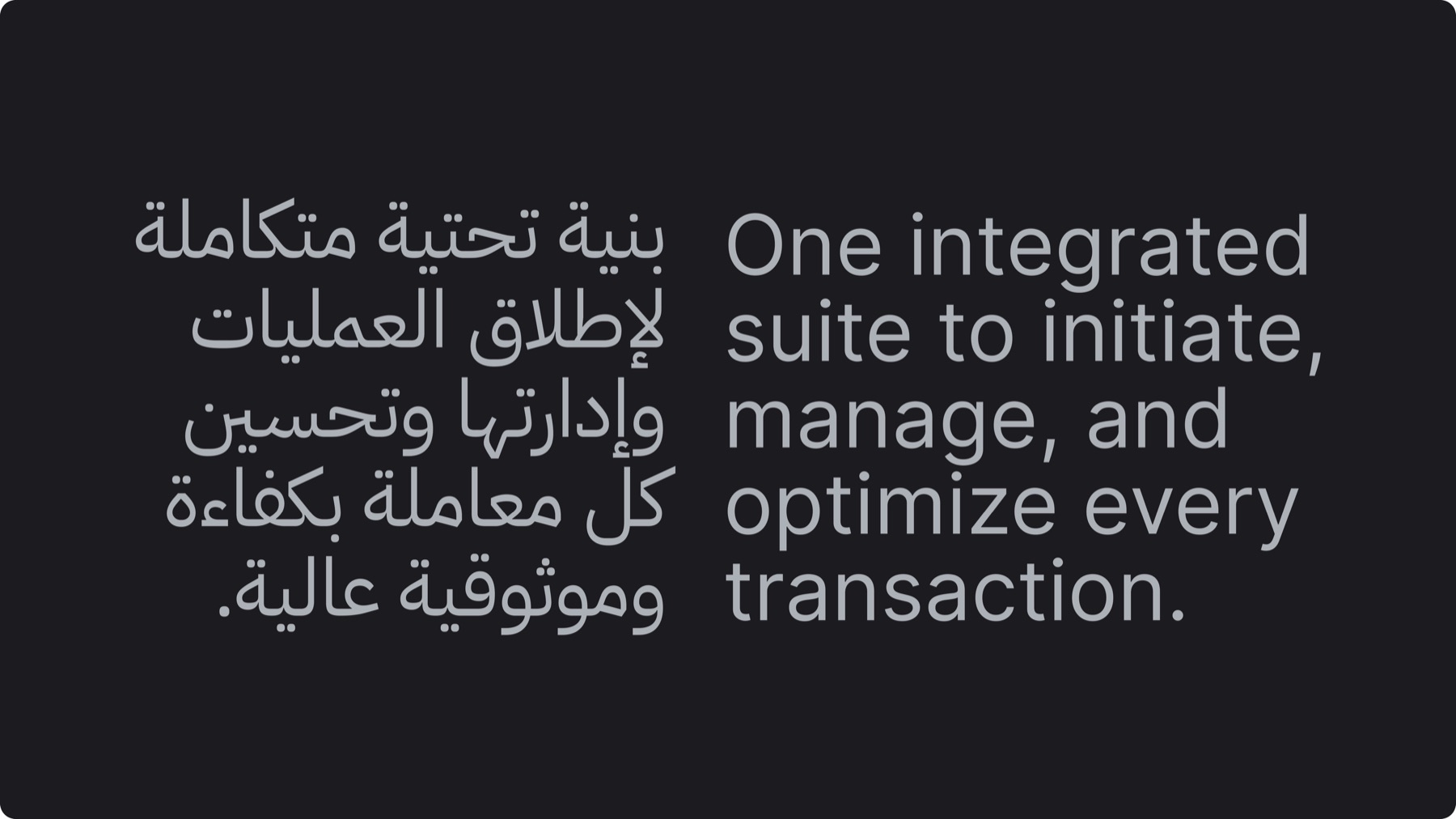
Hierarchy stays consistent and equal when English and Arabic are paired together
Arabic letterforms differ structurally, so size and leading are matched visually
Always follow the defined typographic palette, for example if English uses “Inter Medium” for titles, Arabic must use its equivalent “IBM Plex Sans Arabic Medium”
3.D. Color application
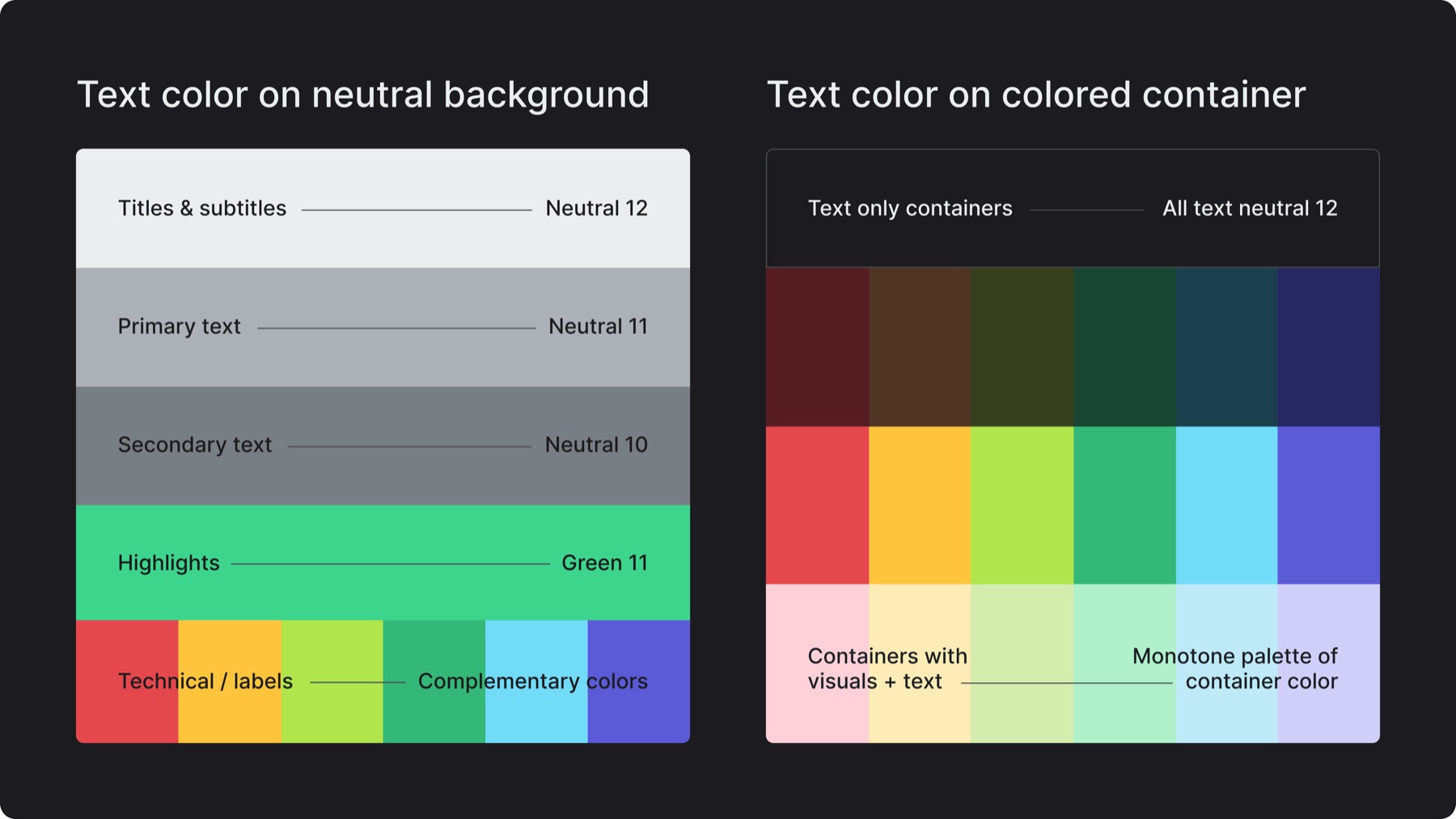
Color reinforces hierarchy and adds depth
Each content type has a defined color as displayed above, keeping in mind the background/container color it is placed on to ensure contrast
Green 11 is for subtle highlights only, never for full titles or large text blocks
Complementary colors are limited to code, technical end points, labels or infographics, numbers, or text within colored graphic containers
3.E. Type scale
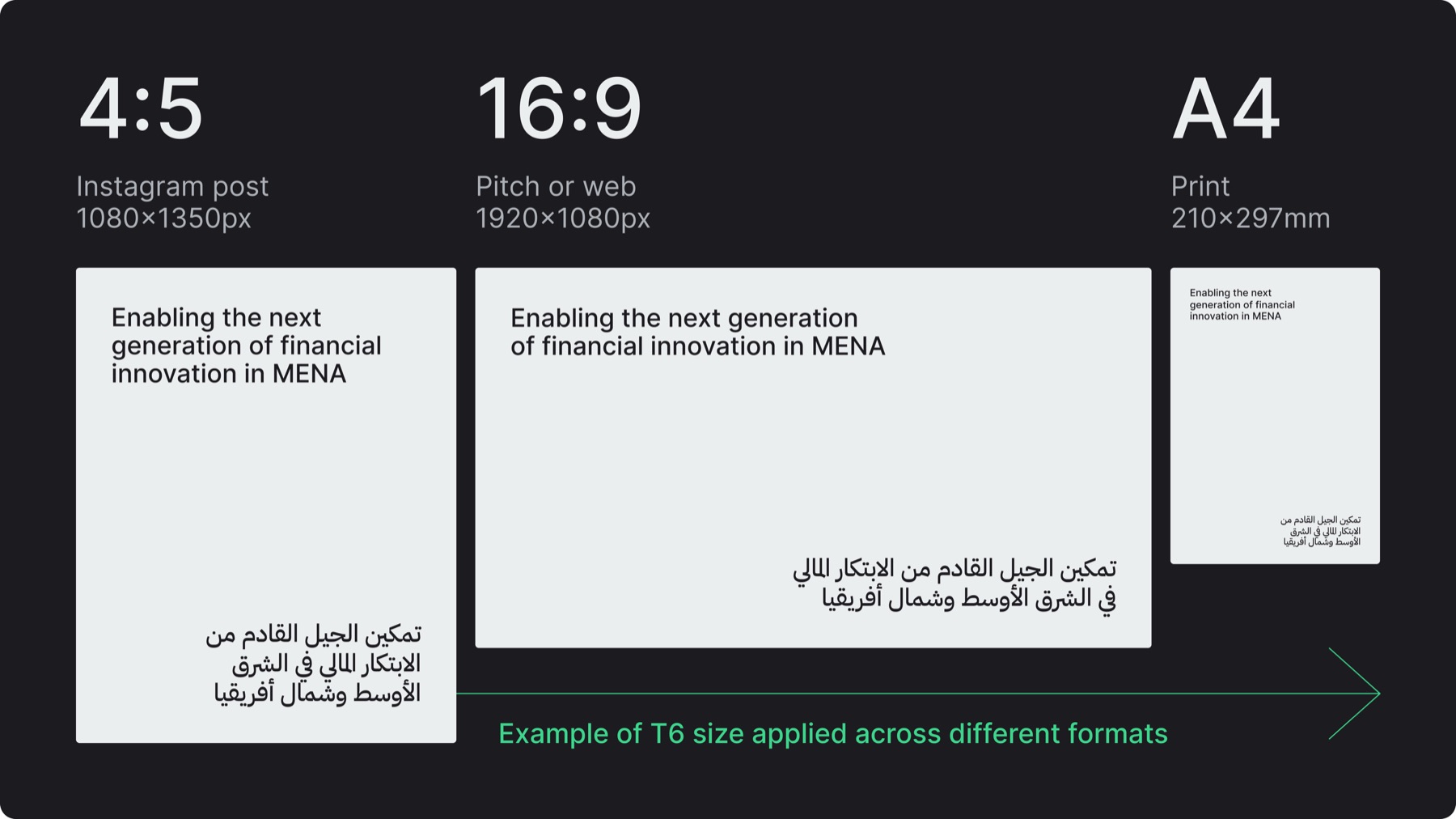
Use a consistent type scale (T1 to T10) to maintain proportion across all platforms
The tables below define the size and leading for each level for digital and print media
English and Arabic use separate values to ensure visual balance and smooth adaptation
Treat this scale as the default reference system, not every design must use all levels, but designs should follow the proportional system
English type scale
Digital (size / leading)
Print (size / leading)
T1
150 / 152
72 / 77
T2
110 / 114
40 / 45
T3
72 / 80
28 / 33
T4
48 / 54
22 / 27
T5
36 / 42
16 / 17
T6
28 / 33
14 / 15
T7
20 / 26
12 / 14
T8
16 / 20
10 / 13
T9
14 / 18
9 / 12
T10
12 / 14
8 / 10
Arabic type scale
Digital (size / leading)
Print (size / leading)
T1
144 / 152
67.5 / 73
T2
106 / 118
37.5 / 43
T3
70 / 84
25.5 / 31
T4
47 / 57
21.5 / 27
T5
34 / 45
15.5 / 17
T6
26 / 35
13.5 / 16
T7
19 / 26
11.5 / 14
T8
15 / 21
9.5 / 14
T9
14 / 19
8.5 / 13
T10
12 / 15
7.5 / 10
3.F. Alignments
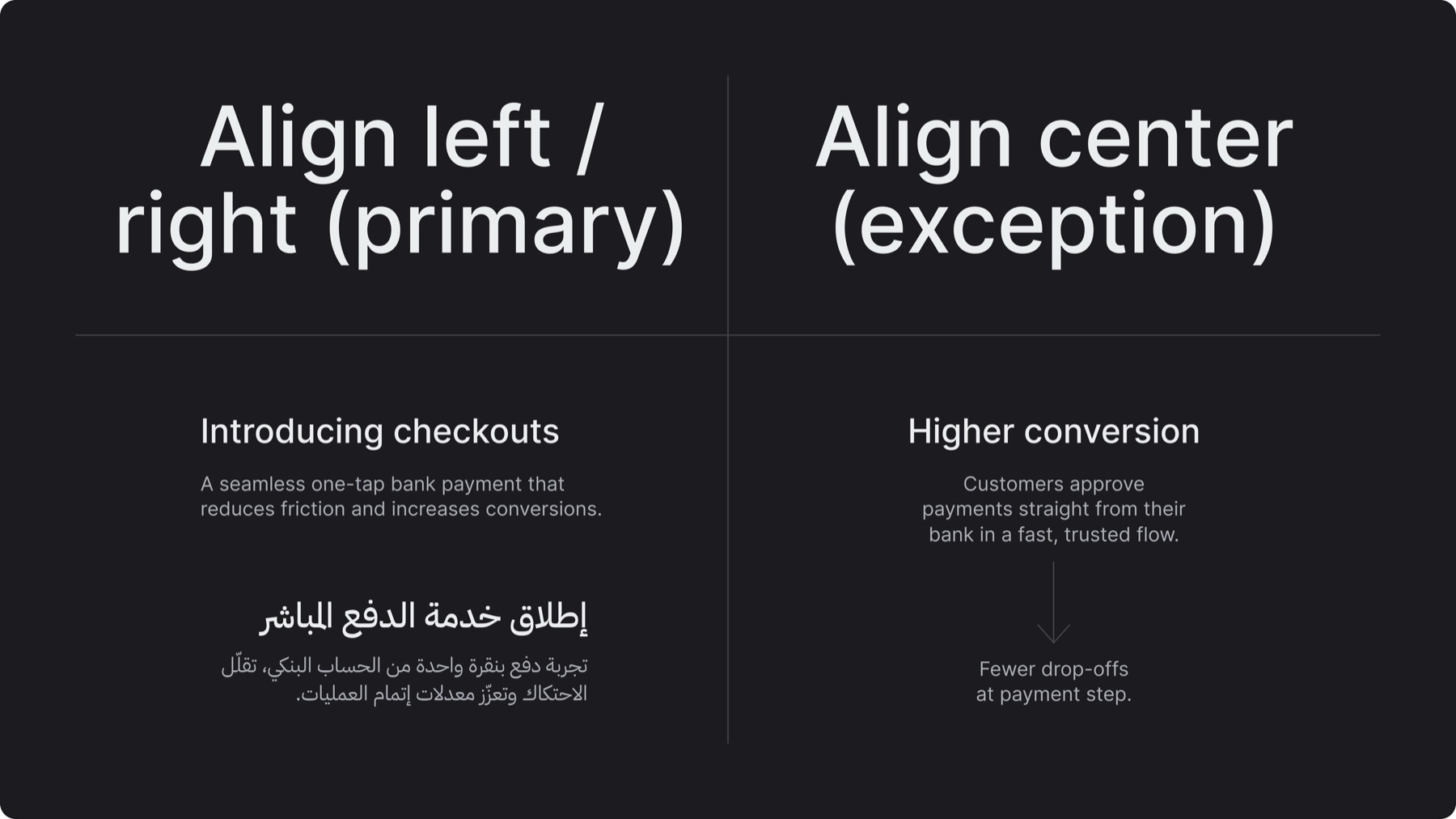
The brand’s primary text alignment is align left or align right
Use central alignment as an exception for moments that require visual impact, short statements, or balanced compositions, never as the default text alignment
3.G. Treatments
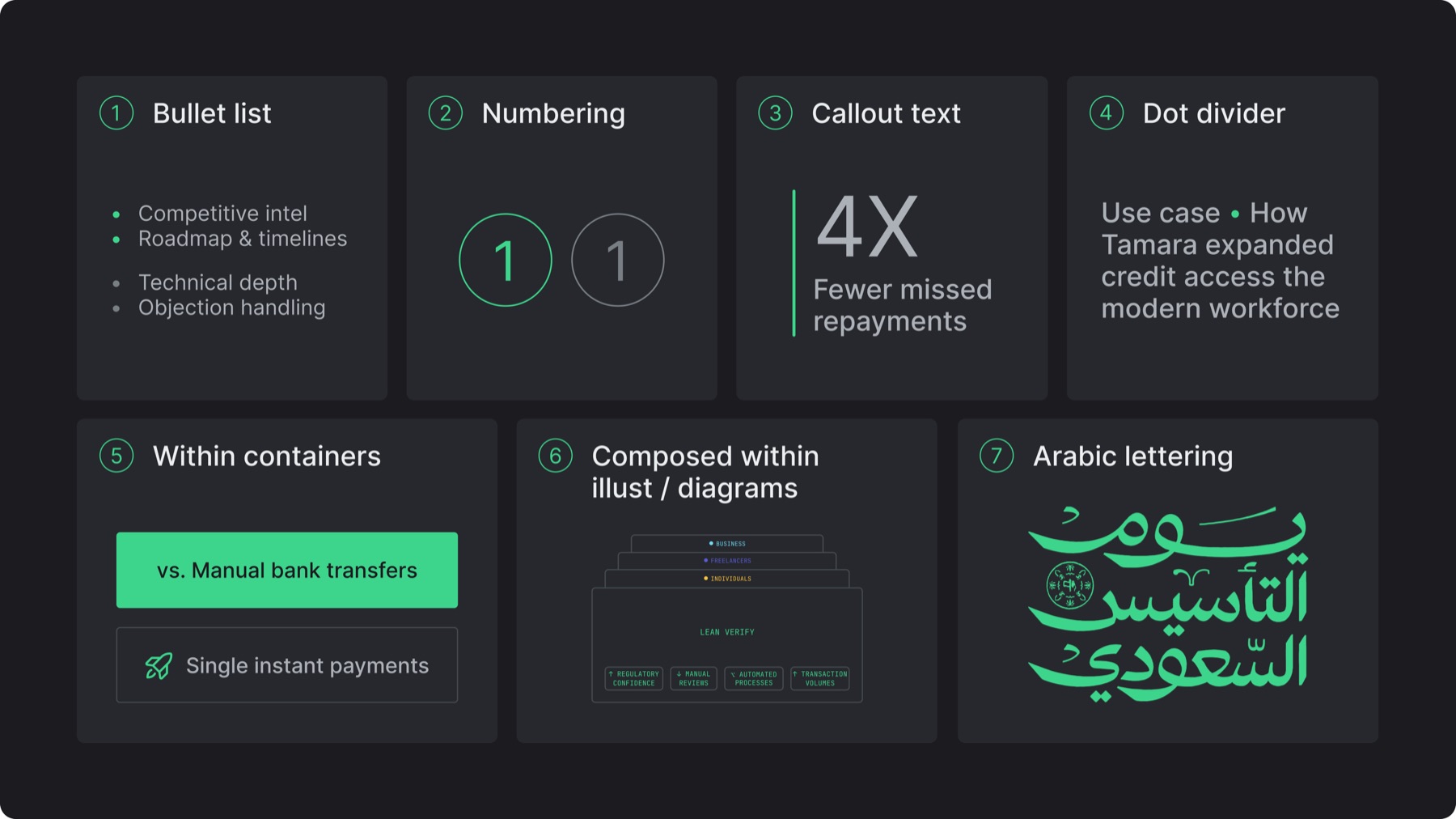
Bullet list: Default to accent green, switch to neutral 10 when the layout is color-heavy
Numbering: Outlined circled numbers in Inter Regular, default to accent green, switch to neutral 10 when the layout is color-heavy
Callout text: Vertical accent line with rounded ends scaled to match text height
Dot divider: Use an accent green dot to separate short, closely related phrases or metadata within a single line
Within containers: Stroke or colored container depending on text density and hierarchy
Composed within illustrations / diagrams: Flexible vertical / horizontal positioning, use Inter Medium (all caps) or JetBrains Mono for technical labels
Arabic lettering: Reserved for campaigns, cultural, or special event communications
3.H. Arabic lettering
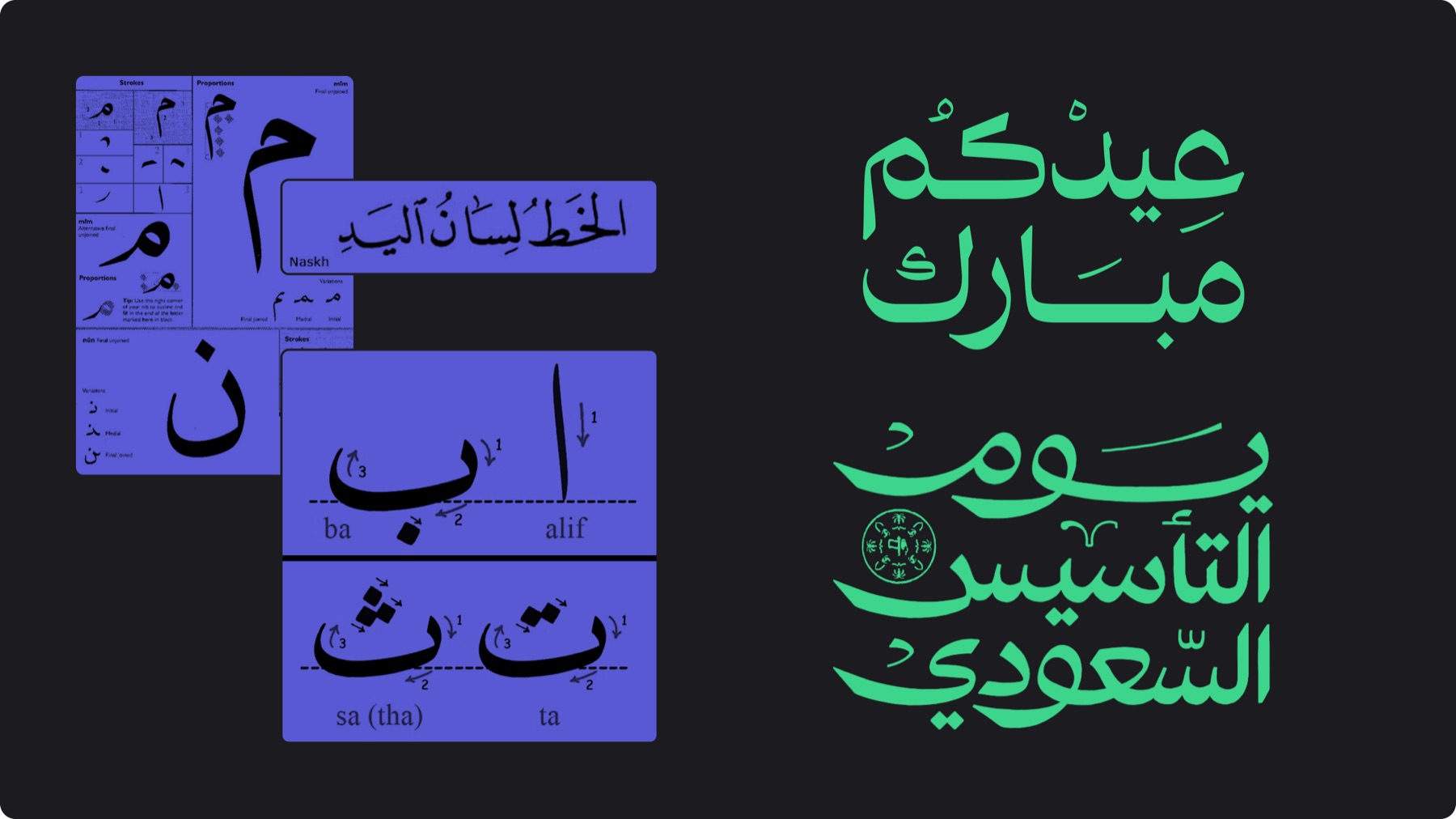
Function: Used for special communications to add cultural relevance and depth to the brand
Production: Custom lettering (preferable), if not feasible, adapt Naskh-based typefaces or use high-quality open-source alternatives
Style: Rooted in Naskh - add harakat to reinforce clarity and keep the forms grounded and confident - avoid overly ornamental, geometric, or decorative styles - maintain a modern, refined execution while preserving the essence of the script
3.I. Misuses
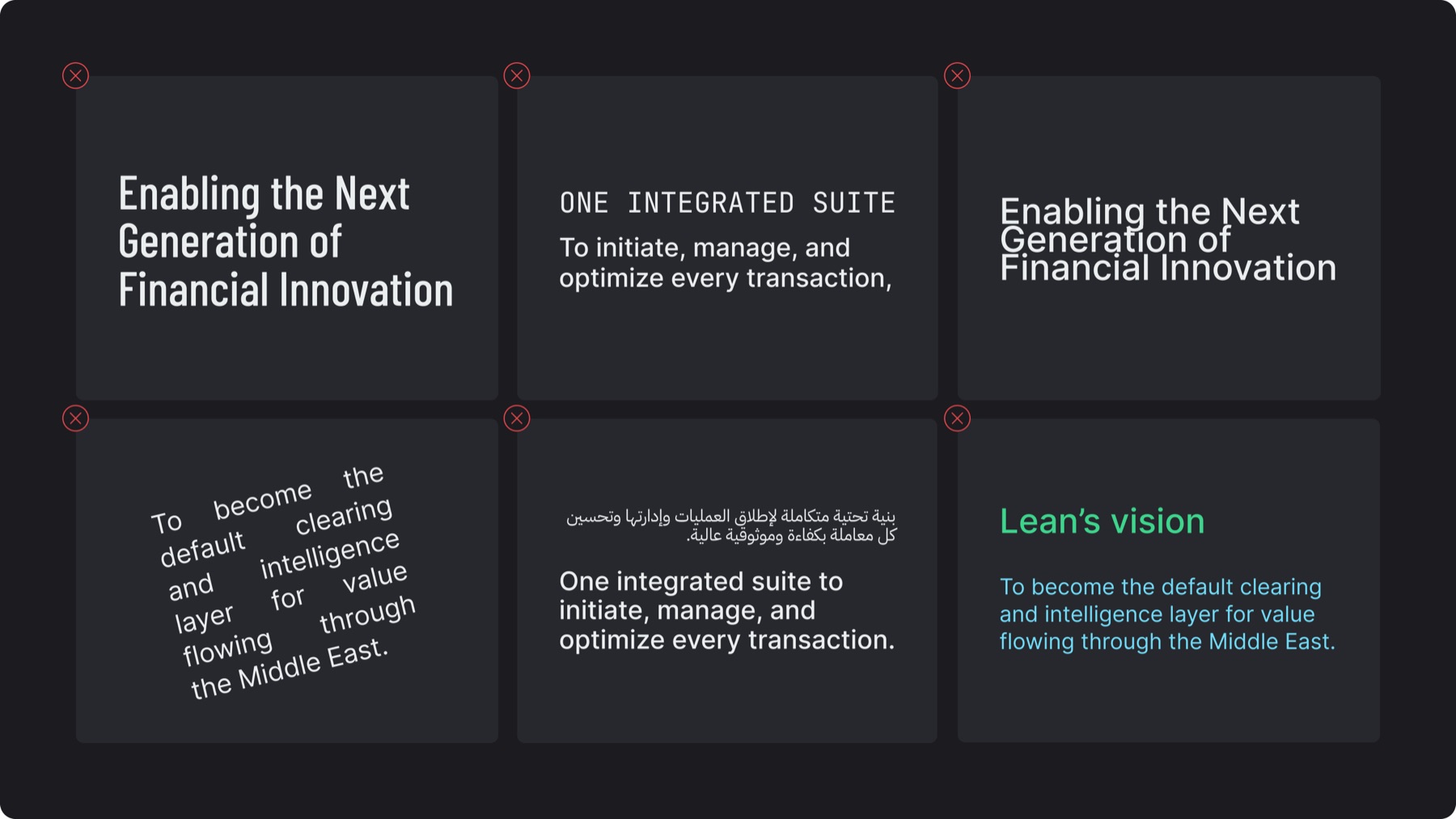
✕Using fonts or weights outside the defined system
✕Using JetBrains Mono for headings
✕Using leading that is too tight or wide
✕Tilting, rotating, or justifying text
✕Not maintaining text hierarchy or prioritizing one language over another
✕Applying accent green or complementary colors to full titles or paragraphs