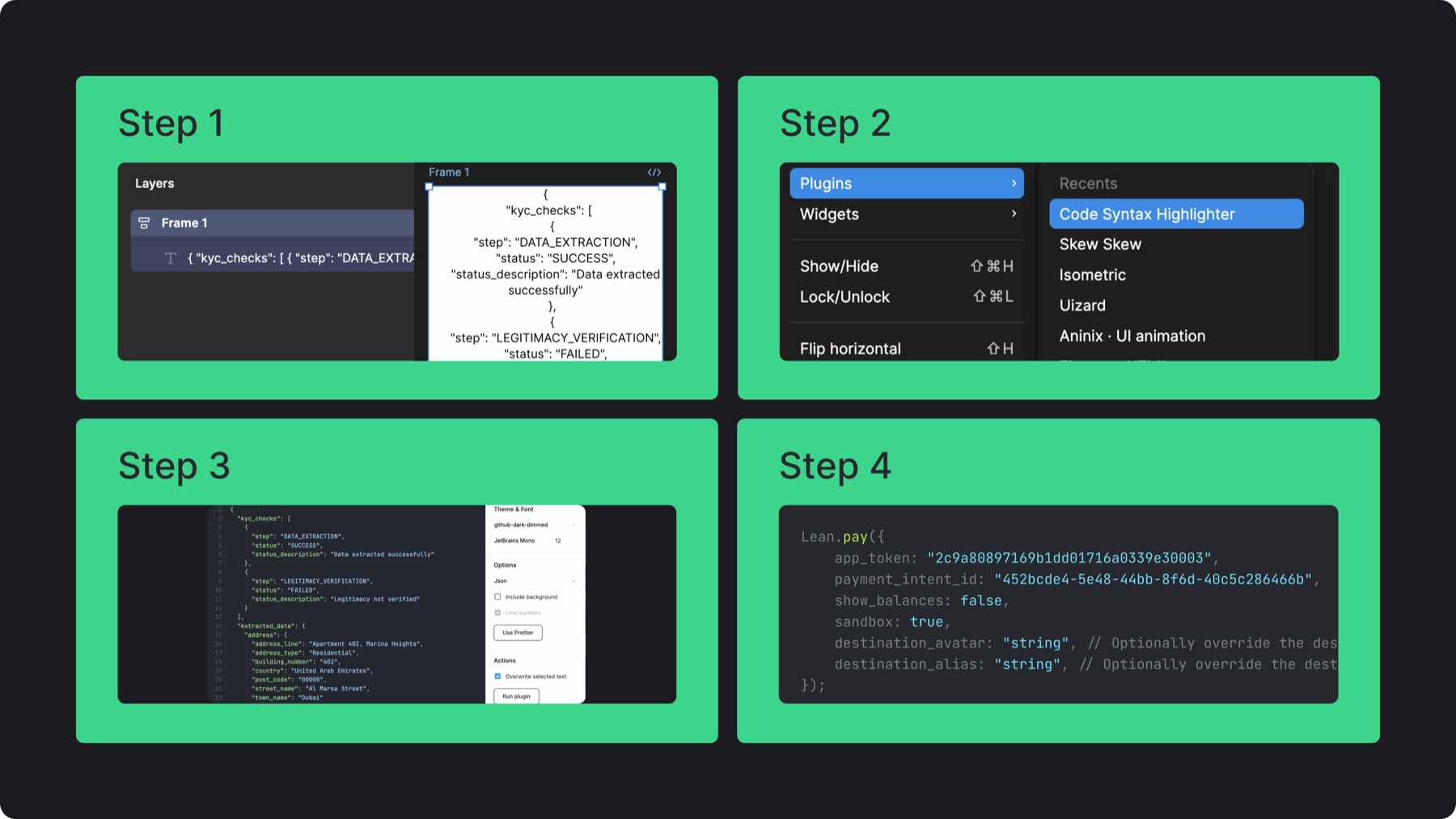
Step 3: Choose github_dark_dimmed, set JetBrains Mono at 12pt, disable background, enable overwrite selected text, then run the plugin
Step 4: Place the code inside a neutral or colored container, use neutral 11 for primary text, neutral 10 for secondary text, complementary colors for key syntax, and monochromatic shades on colored backgrounds
10.B. Use in layout
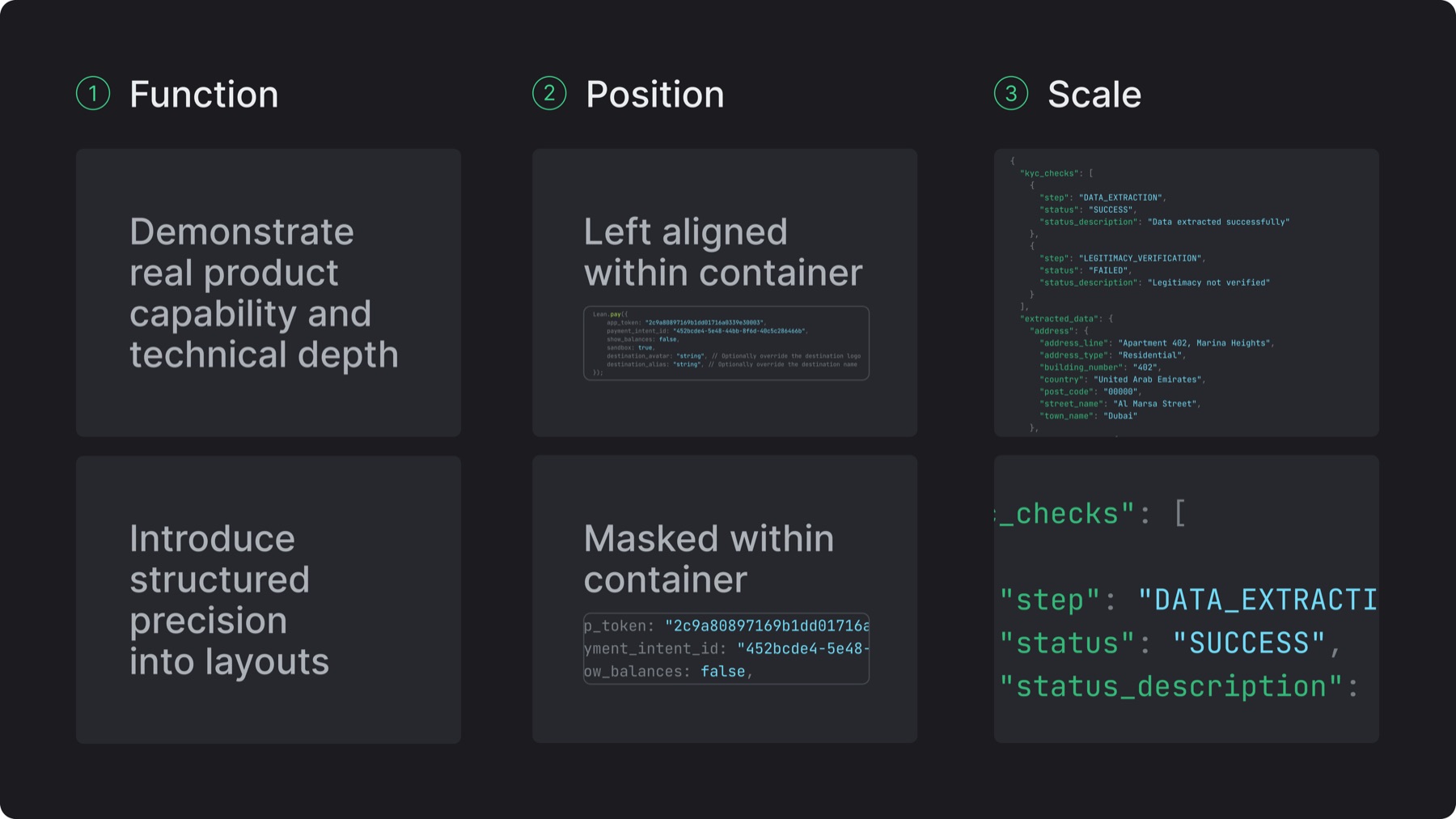
Function: Use code blocks to demonstrate real product capability and technical depth or for introducing structured precision into layouts
Position: Align left within containers for clarity, or mask within containers for depth
Scale: Scale by cropping or zooming to highlight relevant data
10.C. Misuses
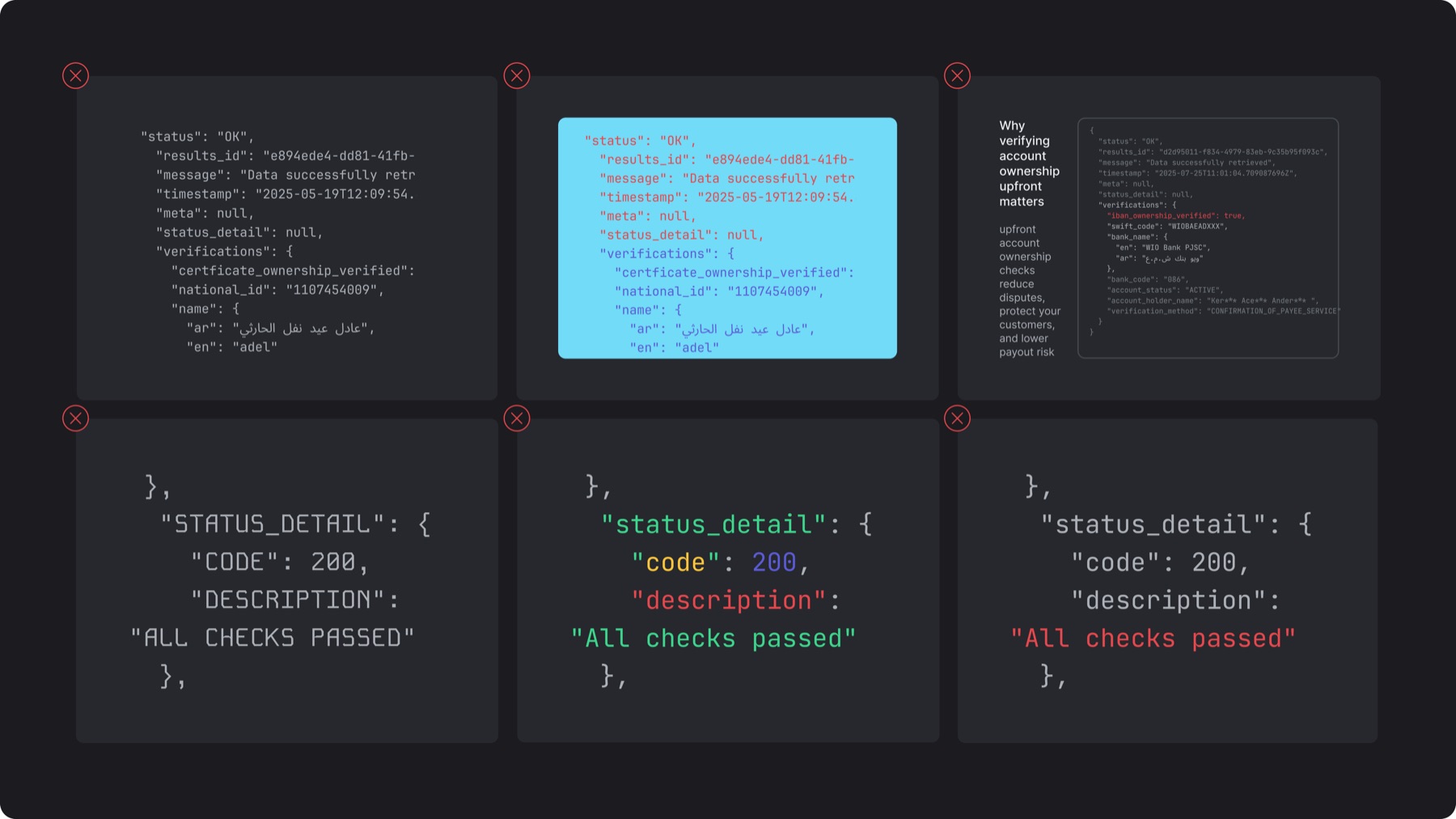
✕Placing code snippets without a container
✕Breaking the monochromatic color treatment within colored containers
✕Allowing code to compete with the primary content
✕Using fonts other than JetBrains Mono or altering the original case of code
✕Using random colors to highlight code without clear purpose