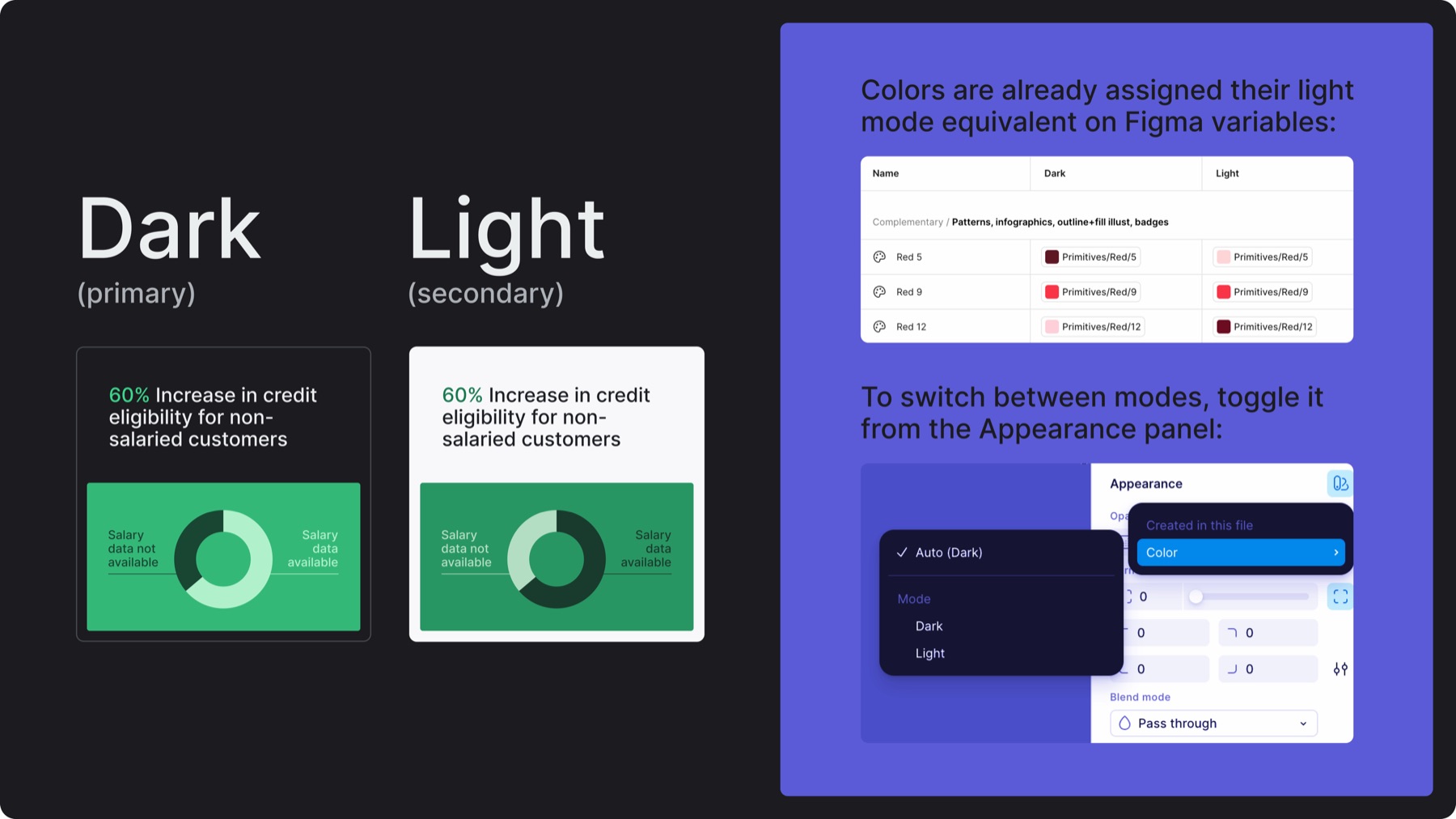
Refer to the above image to see how to access and toggle between different color modes on Figma (make sure Lean 2.0 Brand Resources library is imported into the file first)
2.B. Primary palette & usage
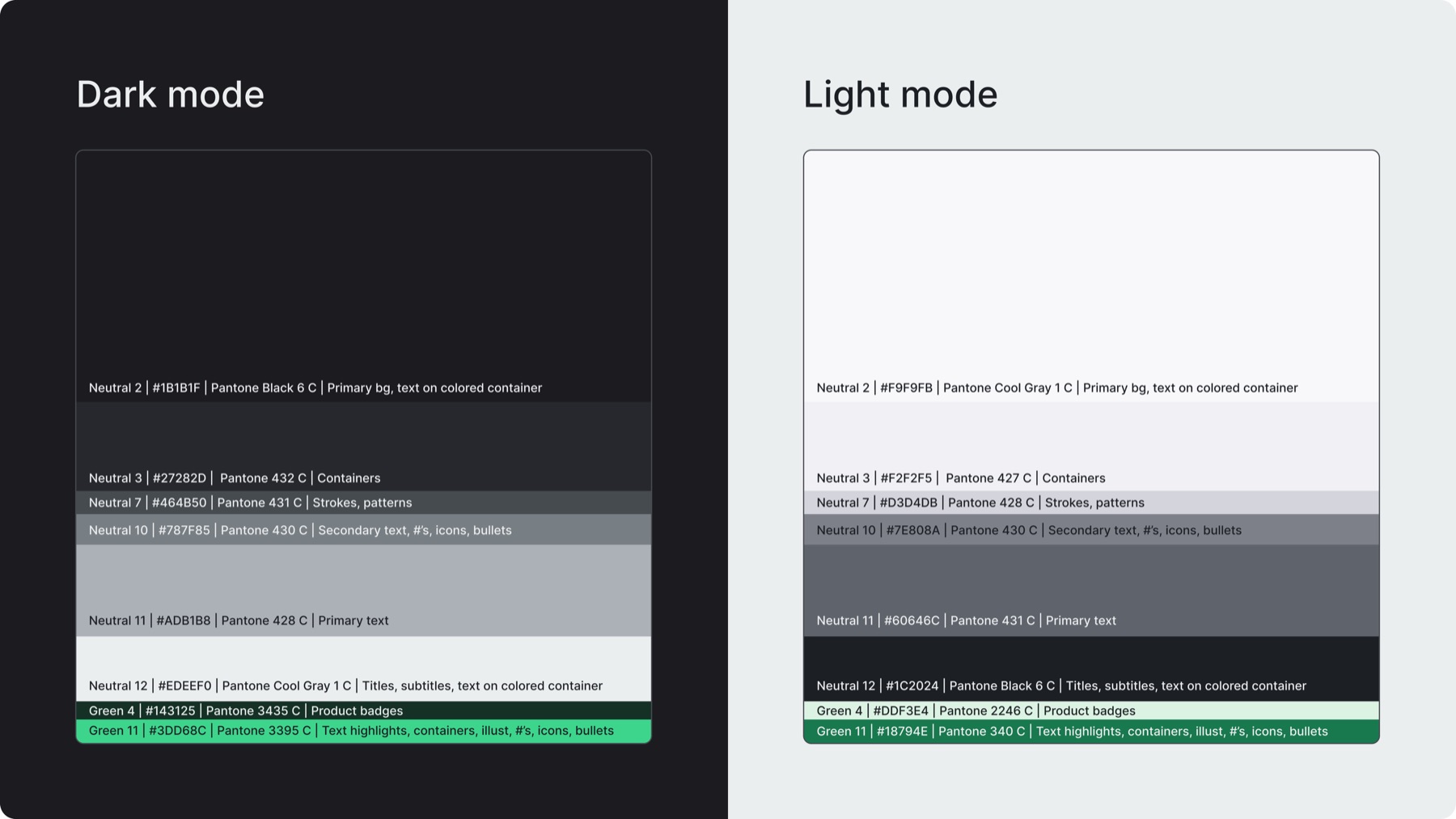
The primary palette defines the base colors that are most used across the brand
It is composed of neutrals and the primary accent green (green 11)
This palette is used for: backgrounds, text, containers, strokes, patterns, numbers, icons, bullets, and product badges
Maintain the recommended color proportions to preserve visual hierarchy, neutrals should dominate, while the accent green is used selectively for intentional emphasis
Use rgb/hex values for all digital applications, use cmyk/pantone values for print production
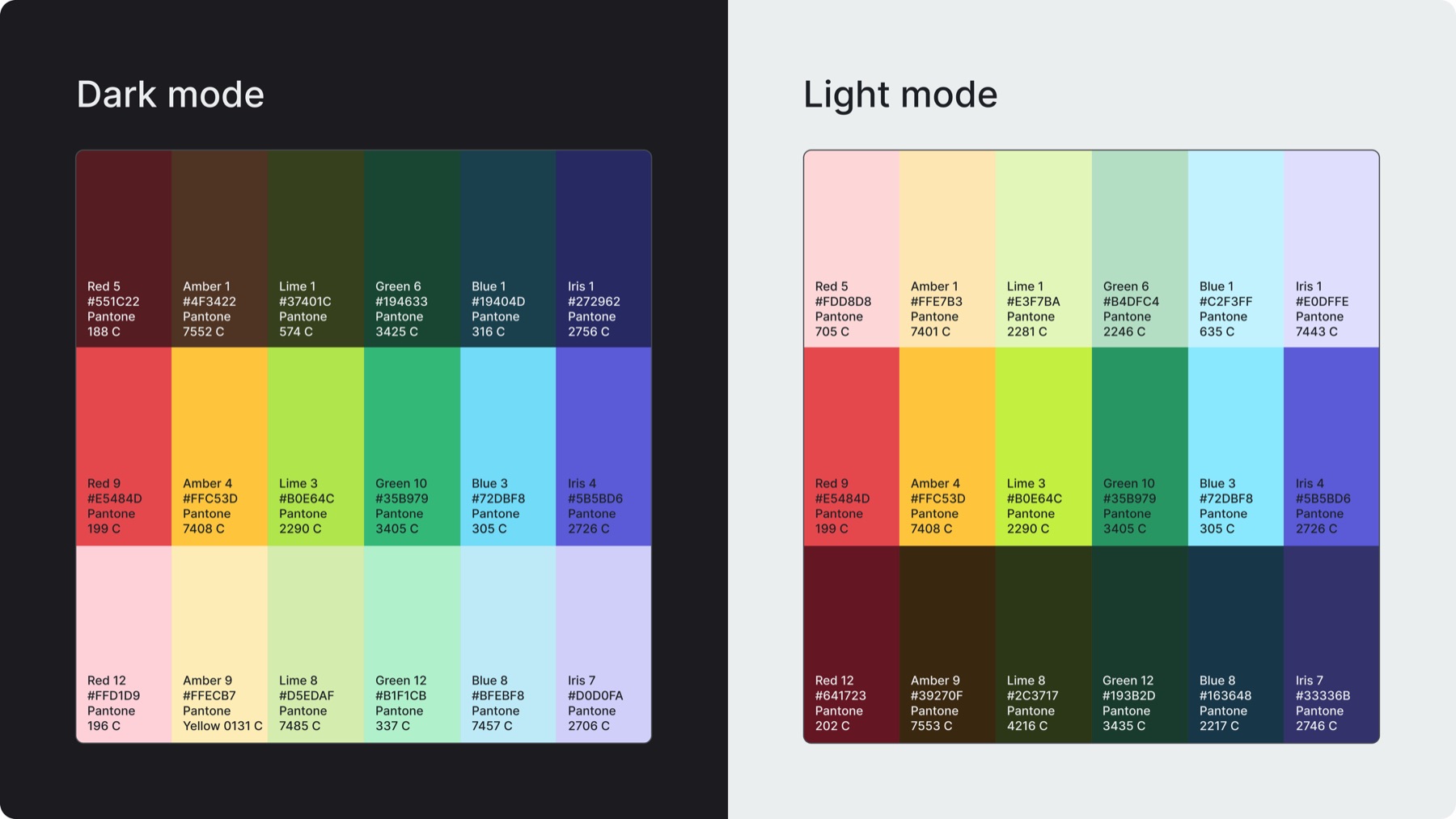
The complementary palette defines the secondary colors used to support expression and functional clarity
This palette is used for: patterns, infographics, illustrations, wireframe screens, badges, sub-brands, text highlights, containers, image treatments, and expressive backgrounds
It is composed of 6 hues (red, amber, lime, green, blue, iris) which appear in 3 tones (dark, medium, light)
Complementary colors never replace the primary accent green, their purpose is to create atmosphere, depth, and visual rhythm
Complementary colors may be used semantically (ex: green → positive, success | red → negative, errors, critical states | amber → warnings, cautionary indicators)
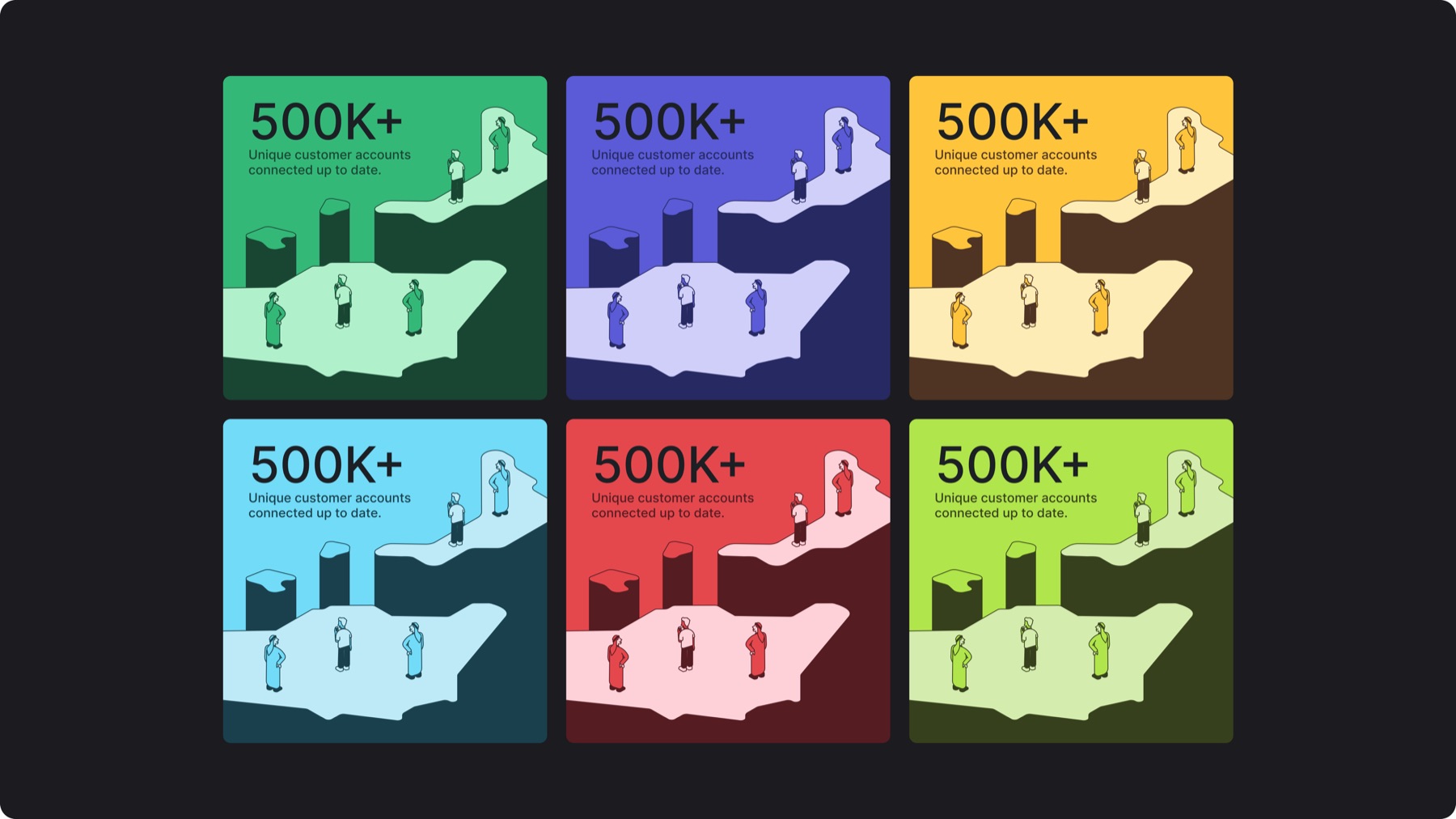
Expressive surfaces are not default color modes, they are color treatments used to draw attention to key insights, campaign moments, or categorized content, and they operate within the brand’s dark and light modes
On colored backgrounds, text shifts to neutral 2 for contrast, while highlights or graphics in tonal variations of the same base color (monotone)
There are 6 expressive background colors which are the same as the brand’s container colors
2.F. Misuses
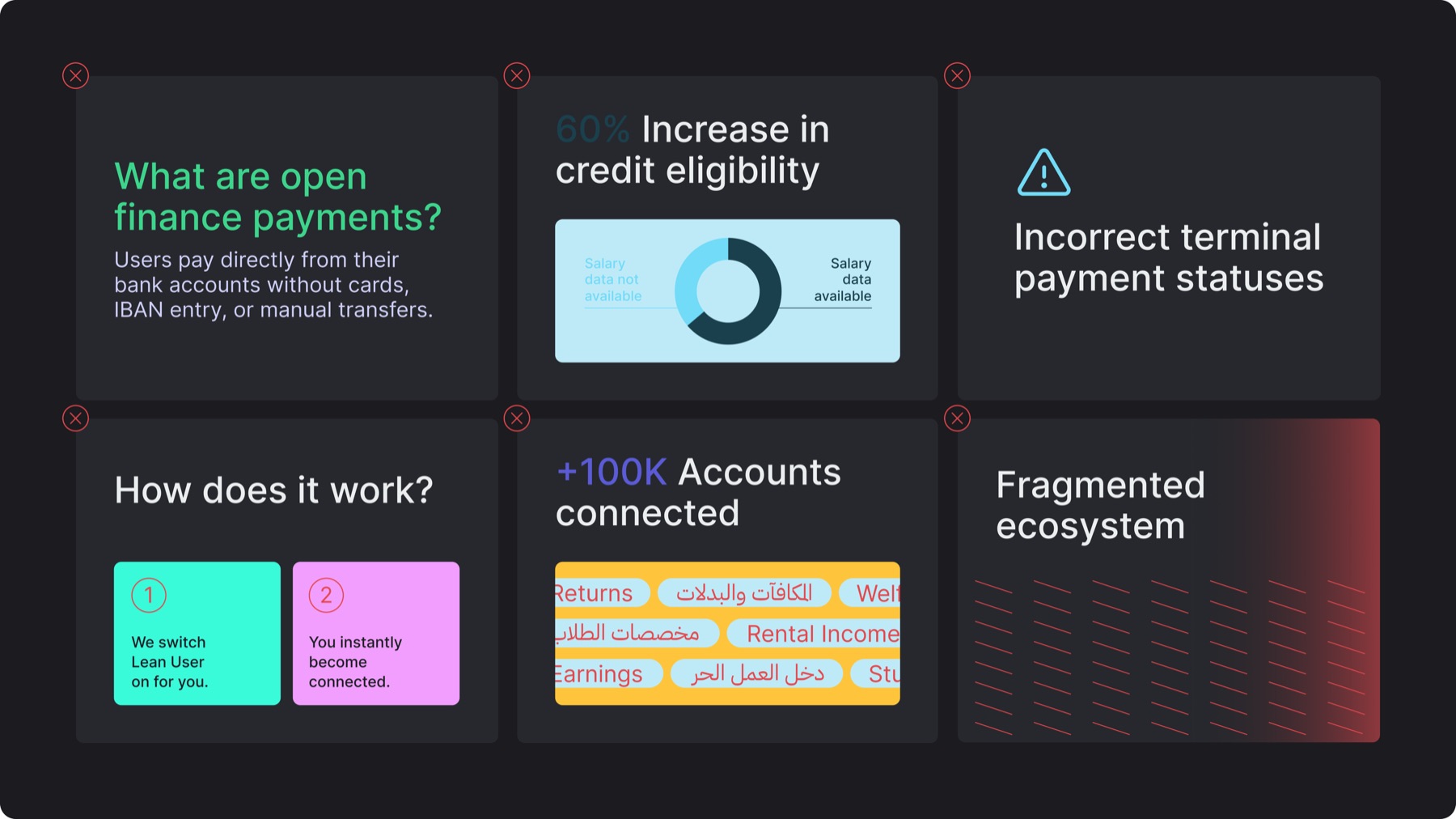
✕Using accent green or complementary colors for full titles or body text
✕Using color combinations that don’t provide sufficient contrast
✕Using colors semantically in a way that does not match meaning
✕Altering brand colors or not following the assigned Figma color variables
✕Mixing too many complementary colors in 1 layout without hierarchy
✕Using colored gradients in the brand (unless it is necessary or adding functional value)